
We live in a time of so many distractions. At any given moment, it’s the path of least resistance to just keep doomscrolling on our phones or binge-watch a Netflix series instead of doing our work. And while there’s nothing wrong with unwinding every now and then, completely neglecting our work in the name of these distractions is bad not just for our productivity levels, but also for our own health.
However, in the same way that our devices or smartphones can be a tool for evil, they can also be a force for good. If you’re tired of feeling scattered, procrastinating on everything, or ending the day wondering where your time went, these are 15 productivity apps you can try to boost your focus, streamline your day, and actually get things done. Here’s how to make technology
work for you and not against you!
Notion
Known for its flexible functionality, Notion is basically a second brain. You can build your own dashboards, to-do lists, databases, journals–you name it. Everything is customizable, so you can make it as minimal or as complex or as feminine or as creative as you want.
It works especially well if you’re juggling different areas of your life (work, school, personal). The ability to interlink pages makes it easy to keep your thoughts and plans connected. It’s productivity and creativity rolled into one, and perfect for those who value organization.
iGanttChart
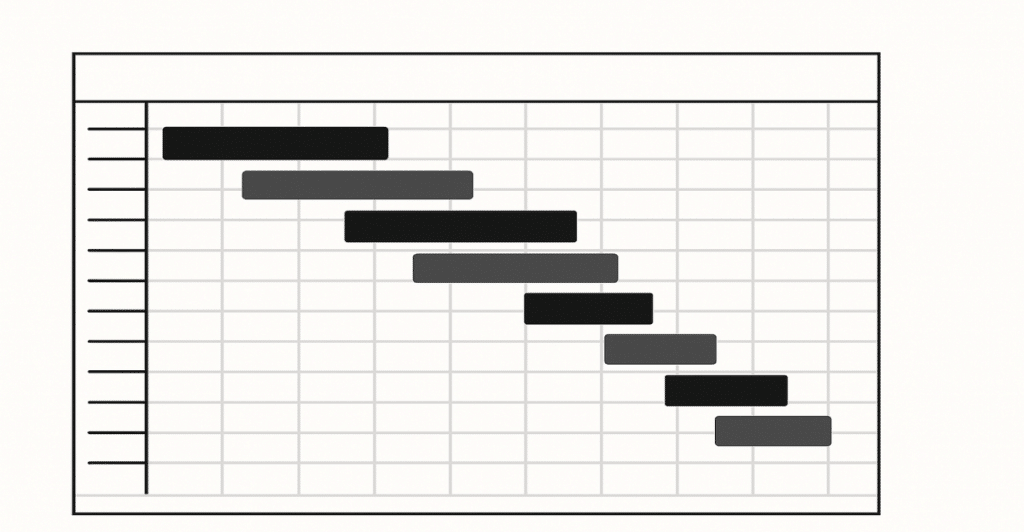
If you’ve ever wanted to project manage yourself and your own to-do lists, this app is for you. Gantt is all about timelines. It’s a visual way to map out your goals over time, which makes it great for people who need to see their progress to stay motivated. You can schedule tasks, set dependencies, and watch how everything flows. It’s the kind of structure that keeps you honest, especially with long-term projects.
Google Calendar
Simple but powerful, Google Calendar is a game-changer for planning your days with intention. It forces you to reckon with how much time you actually have. Color-coding events helps you visualize your day or week at a glance. And the best part? You can set reminders and recurring events so nothing falls through the cracks. It’s one of those tools that keeps your time from slipping away unnoticed.
Miro

Reminiscent of Notion (with a few differences), Miro is for those who like to think in webs and whiteboards. It’s a digital space for brainstorming, mapping out ideas, or even collaborating in real time. Great for creatives, visual learners, or anyone who needs to “see the big picture.” You can drop in sticky notes, charts, images–whatever gets your thoughts flowing. It helps you organize the chaos.
Toggl Track
Toggl Track is primarily a time-tracking software usually used by companies to track their employees’ work hours, but it can also be used by individuals who want to track their own focus. If you’ve ever wondered where your time actually goes, this app shows you. It’s painfully honest in the best way. Seeing how much time you spend on tasks can be the wake-up call you need to change your habits.
Trello
Another project management tool, Trello is like a visual to-do list on steroids. It uses a board-and-card format to organize tasks into columns like “To Do,” “In Progress,” and “Done.” It’s perfect if you want to move through tasks in stages and get the satisfaction of physically moving cards around. You can also collaborate with others, which makes it great for group work or accountability.
Grammarly
Grammarly is an excellent way to cut back on your time editing your own written work. It doesn’t just check for spelling mistakes; it catches tone, clarity, and sentence structure too. Whether you’re writing an email or a 20-page report, it saves you from second-guessing yourself. Basically, it’s like having a proofreader on call 24/7, which frees you up to focus on what you’re actually trying to say.
ChatGPT
When used right, ChatGPT can be an excellent tool for clearing mental clutter. Need to brainstorm ideas? Outline a project? Break down a complex topic? This app can speed things up. It’s not about letting AI do your work for you; you can use it primarily to take yourself out of a block. You still have to do the thinking, but now you don’t have to do all of it alone.
Pomodoro Apps
One thing that works for many people is the Pomodoro technique, wherein they focus on their work for 25 minutes, reward themselves with a 5-minute break, go back to work for another 25 minutes, and so on. Apps built around this system keep you accountable to those intervals. It’s a good hack if you struggle with attention or burnout–short bursts of focus with guilt-free rest in between.
1Password
Another app that can help boost your productivity is password-keeping apps, which can save you the hassle of resetting your password for the fifth time this week. 1Password stores all your login info securely, so you’re not wasting mental energy remembering dozens of variations of “Password123.” Less time spent logging in means more time actually doing the thing you logged in to do.
Canva
Canva is truly God’s gift to those who don’t necessarily have the natural inclination for design or don’t have the motivation to learn Photoshop. Whether you’re making a resume, a pitch deck, or a simple Instagram post, it has templates that make your work look polished with minimal effort. It cuts down the time you’d spend trying to “make it look nice” and lets you focus on the content, truly a worthy investment for anyone working in the creative field.
Audible
If you’re the type of person who’s not easily distracted by sounds, playing a podcast in the background might actually help you work. Audible lets you absorb new information while doing other things–commuting, cooking, cleaning, or even low-focus work. It turns passive time into learning time. For productivity nerds, it’s truly gold.
Instapaper
Chronically online people are prone to bookmarking everything for later in the hopes of actually reading the page or article, but more often than not, they tend to forget the bookmark exists in the first place. This is where Instapaper can come in handy. It stores the stuff you actually want to read in one tidy place and lets you come back when you’re in the right headspace. Goodbye, browser tab overload; goodbye, digital clutter!
Obsidian

If sharpening your mind is one of your goals along with productivity, Obsidian might be for you. It’s a note-taking app built around linking thoughts together, like a digital mind palace. Ideal for people who write, think deeply, or love making connections between ideas. It’s less about to-do lists and more about cultivating insight over time. Bonus: It works offline.
Todoist
And lastly, there’s nothing like a good old to-do list. Todoist is simple, clean, and satisfying. You can set due dates, organize tasks into projects, and even gamify your productivity with “karma” points. It syncs across devices, so your list is always with you. Whether your brain is a chaotic mess or just needs a little structure, Todoist makes it easy to stay on track.








Ask Me Anything